
All of my training thus far has been on Cisco equipment including switches, routers and telephony. In the real world its unlikely to find a 100% Cisco equipment in an organization. Therefore over the past few months I have been getting familiar with other vendor’s equipment. Through that research pfSense software and the Netgate router appliance has been recommended for their extensive feature set, stable software and robust plug-in library. The most important part is the software is open source. Which makes it easily accessible for testing and training on what ever hardware you have on hand. But for me that means I can deploy it inside a virtual machine while I get some hands on time as I learn to use it.
Interfaces
pfSense requires you designate all interfaces for the required purpose. This includes all external (WAN) and internet (LAN) networks. So I assigned a single interface each as WAN and LAN as I intend to use VLANs.
VLANs
Networks are split into the most common set up for a small business office.
- Office LAN for computer and employee devices.
- VoIP for IP phones
- Camera for security and surveillance equipment
- Guest for none company devices that may need temporary internet access
Firewall
Office LAN
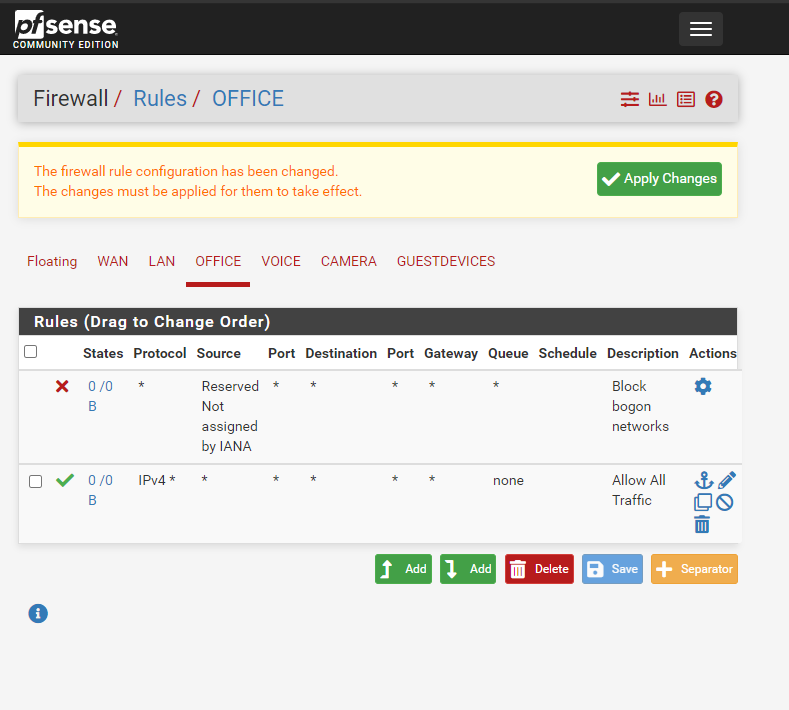
Can access all networks and administrator pfSense appliance.
VoIP
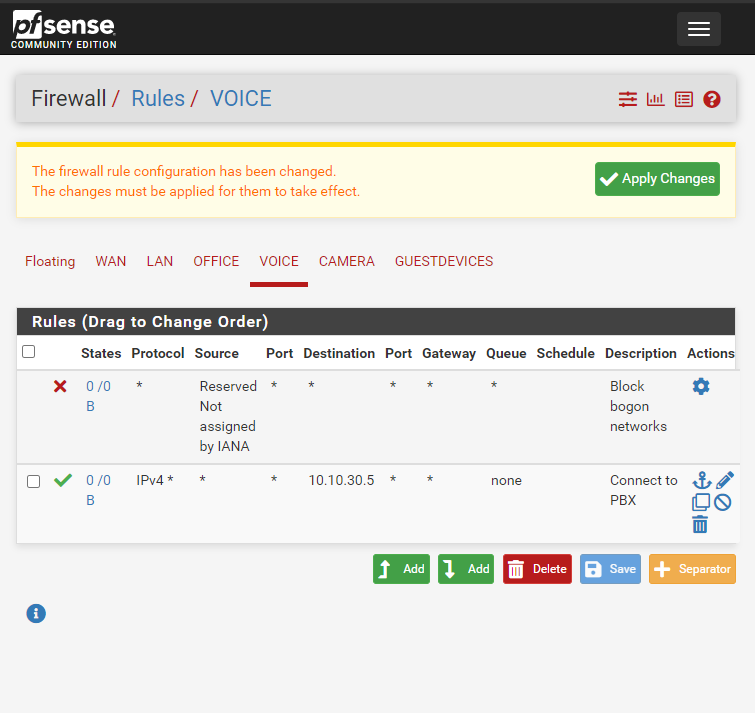
Only allow connection to PBX and other VoIP devices. No access to pfSense appliance.
Camera
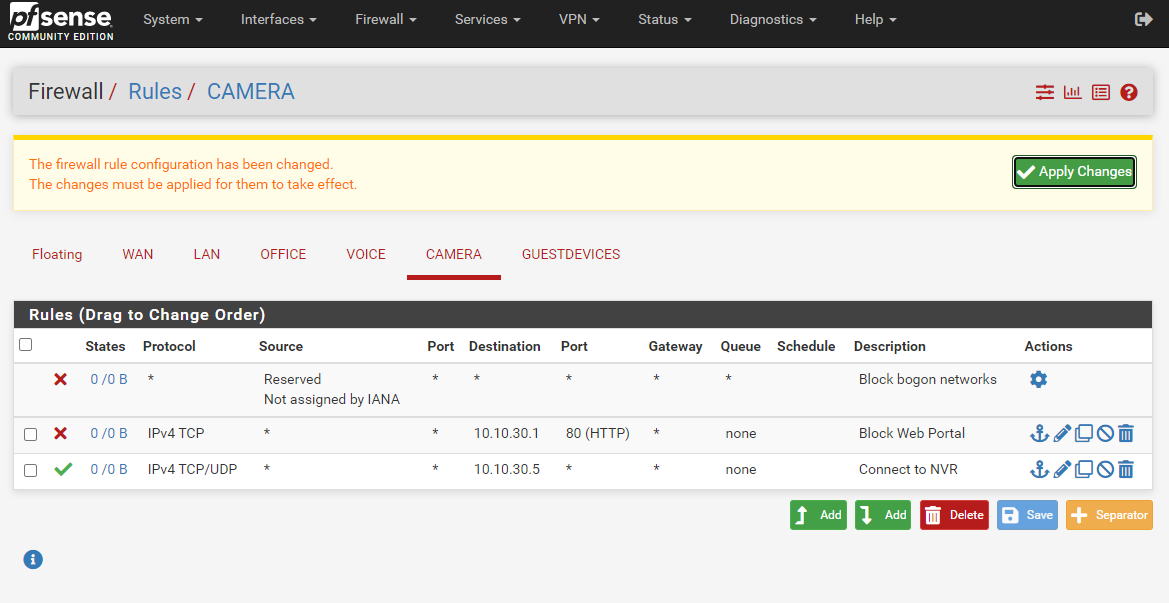
Can only access NVR (Network Videos Recorder) and other cameras. Cannot access other networks or administer pfSense appliance.
Guest
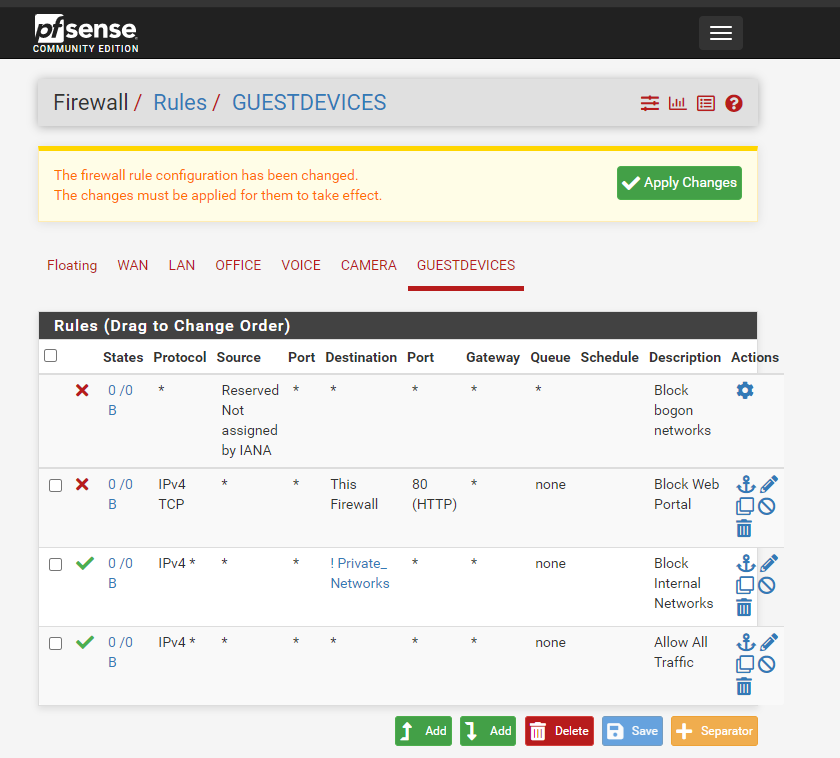
No access to other internal networks. Cannot access other networks or administer pfSense appliance. Can only access WAN.
These settings make up the most basic yet functionally secure basis for a small office network.
 Jemuel|Griffith